
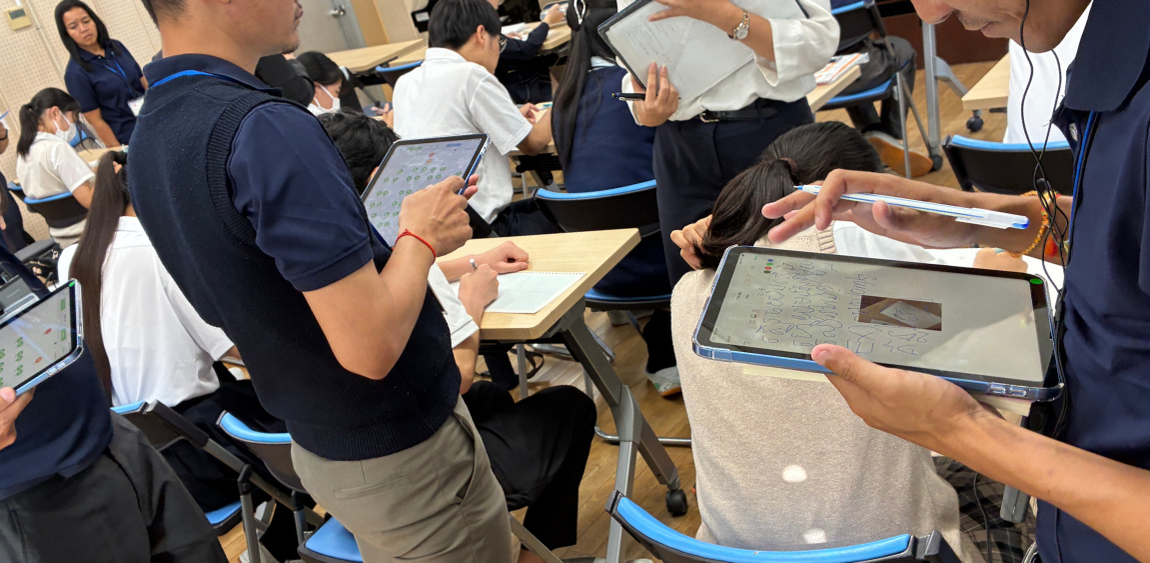
LessonNoteは、100年以上にわたる授業研究を通して日本の教員が築き上げてきた知恵を土台に、世界の様々な国々で行われている授業研究の試みから得た知見を基にデザインされた授業観察のためのツールです。LessonNoteは、教師が授業研究などにおいて、授業の流れや生徒の学習活動に関する量的質的なデータを収集することを支援します。収集したデータを活用して、具体的なデータに基づいた研究協議会や授業の振り返りを行うことができます。
What’s New !! LessonNote ver.6.1の新機能
[1] LessonNoteがキーボードにも対応し、iPhoneでも動作するようになりました。
[2] 1つのレッスンにつき複数の座席表に対応。授業内での座席の移動、例えばグループごとの活動に移った場合などにも、個々の児童生徒の活動を継続して記録できます。
[3] データをより大きな画面で確認したい場合は、2つのエクスポートオプションから選択できます:
◯レッスンをWebアーカイブとしてエクスポートし、任意のブラウザで表示する
◯レッスンをLessonNoteアーカイブとしてエクスポートし、Mac上のLessonNoteで表示する。
[4]ホーム画面のツールバーに、新しいLessonNoteフォーラムへ移動するためのボタンと、メールを送信するためのボタンを追加。
[5] Proサブスクライバーは、メモパッドから直接タグを追加・編集できるようになりました。
[6]指導形態タイマー:現在の指導形態の開始時点から、ノートがいつ作成されたかを確認できます。例えば、個人作業開始から特定の生徒が課題を完了するまでに、どれだけ時間がかかったかなどを簡単に把握できます。
App Storeから無料でダウンロード ▶︎利用規約
LessonNote ユーザーガイド(日本語)
LessonNoteの特徴
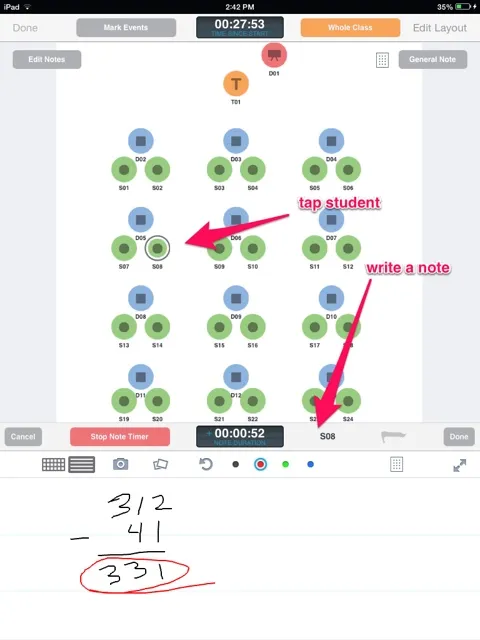
01 座席表を用いた学習過程の記録
座席表を用いることで、誰が誰と、いつ、どのくらいの時間話しているかを追跡できます。発言内容や生徒の行動について手書き (iPhoneではキーボードも可)でメモを記録すると、自動的に入力した時刻も記録されます。
カスタマイズ可能な座席表には、生徒、教師、グループ、ディスプレイ(黒板など)のアイコンが配置され、アイコンをタップするか、アイコンをドラッグすると、下部にメモを取るスペースが開きます。必要に応じて新しい座席表を簡単に作成・変更したり、よく利用する教室のテンプレートを作成したりできます。

02 生徒の活動や記述の写真を記録
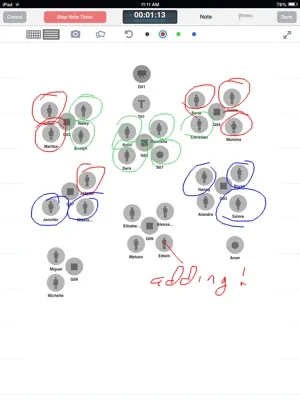
生徒の作業やノートの記述などの写真を撮影し、入力時刻とともに記録できます。
座席表を挿入し、座席表上にメモすることもできます。

03 学習形態の推移と時間の記録
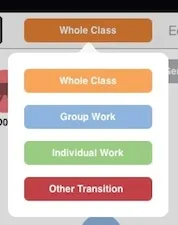
学級全体、グループ活動、個人での活動、その他、と授業の形態の移り変わりを記録できます。
04 記録と統計データをもとに振り返る
授業後、記録された教師や生徒の活動、授業で使われた資料、および授業の流れなどを、見やすい2種類の画面で表示すると同時に、記録された発言の数、授業内の時間配分など、簡単な統計処理データを表示し、学習指導の改善のための具体的な資料を提供します。また、座席表を用いてデータを記録するための、生徒の実名を記録することなくデータを集めることができます。
タイムラインには、一斉授業や学級全体での話し合い、個別学習、グループ活動など、それぞれに費やした時間を記録し、授業後にその割合などを自動的に表示することができます。
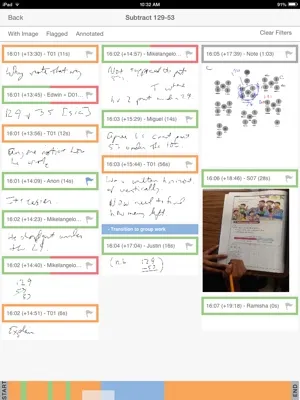

LessonNoteは、授業と生徒の学習の様子について、事実を客観的に記録するのに役立ちます。LessonNoteは、日常の授業参観、学校訪問、そしてもちろん授業研究などに最適です。
Description of the app:
LessonNote is an innovative classroom observation tool for documenting the flow of a lesson and its impact on students. Capture both quantitative and qualitative data:
🟣 Track who is talking to whom, when, and for how long.
🟣 Jot handwritten, time-stamped notes about what is being said and what students are doing.
🟣 Take photos of student work.
🟣 Capture time spent in different modalities: whole-class, individual work, group work.
Begin by creating a seating chart with icons representing the teacher, students, groups, and display areas such as blackboards or projection screens.
Record observations by selecting an icon, or linking two icons for a note about an interaction. Take photos of student work.
After a lesson, efficiently review your data for a student-focused conversation that improves teaching and learning. A small seating chart shows exactly who or what a note is about, so you don’t need to know the names of the students. A timeline shows how much time was spent in whole-class lecture or discussion, individual work time, and group work time.
LessonNote helps you create a fact-based and non-judgemental record of the lesson and its impact on students. LessonNote is ideal for peer observation, coaching, instructional rounds, and of course for Lesson Study. For administrators, LessonNote improves on simple checklists or rating scales by helping document how lessons affect students—which is, ultimately, what teaching is all about.
Work with your colleagues and use LessonNote to improve teaching and learning!
Read the Terms of Service at: https://LSAlliance.org/LessonNote/terms-of-service.html.
What’s New in v.6.1 (August 2026)
🟣 Support for multiple seating charts per lesson.
🟣 LessonNote now works on iPhones, with keyboard support.
🟣 If you need to see your data on a bigger screen, choose from two export options: (1) Export the lesson as a web archive and view it in any browser; (2) Export the lesson as a LessonNote archive and view in LessonNote on a Mac.
🟣 Button in the home screen toolbar to go to the new LessonNote forum or to send us email.
🟣 Pro subscribers can now add and edit tags directly from the notepad.
🟣 Modality timer: See when a note was created relative to the start of the current instructional modality. Easily know, for example, how long students were working independently before a certain student completed the task.